
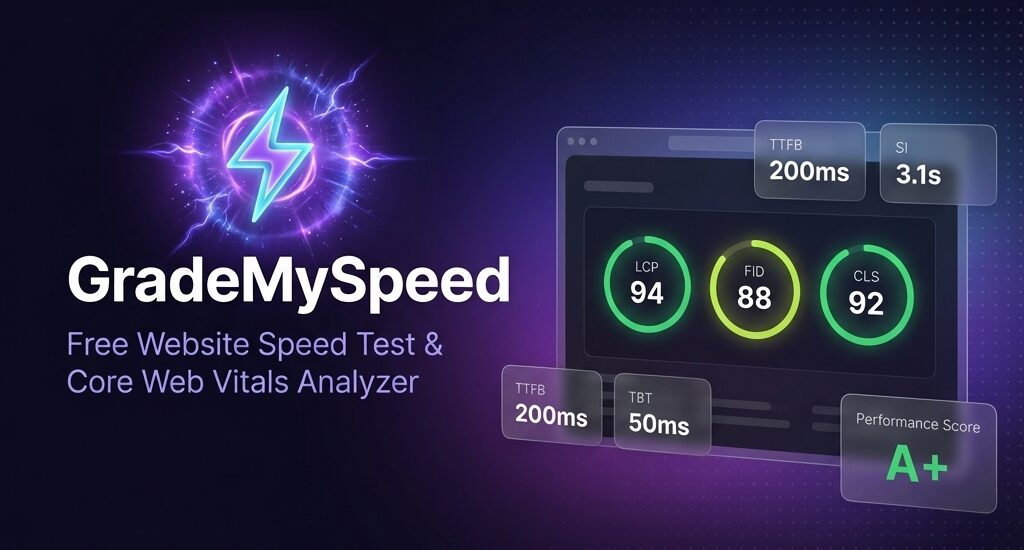

- What is GradeMySpeed?
- Why Website Speed Matters in 2024
- Google primarily uses the mobile version of your site for indexing. If your mobile speed is poor, your rankings suffer.
- How to Use GradeMySpeed
- Understanding Your Results
- Key Features
- Download your full analysis as a JSON file for documentation, client reporting, or tracking improvements over time.
- Who Should Use GradeMySpeed?
- Start Testing Now
Grade your website’s speed in seconds — no signup required.
Is your website fast enough? In 2026, page speed isn’t just about user experience — it directly impacts your SEO rankings, conversion rates, and bounce rates. Studies show that 53% of mobile users abandon sites that take longer than 3 seconds to load.
That’s why we built GradeMySpeed — a completely free tool to analyse your website’s performance and get actionable recommendations to improve it.
What is GradeMySpeed?
GradeMySpeed is a free website speed test tool powered by Google’s PageSpeed Insights API. It provides:
- ⚡ Instant Performance Analysis — Get results in under 30 seconds
- 📊 Core Web Vitals Scores — LCP, TBT, CLS, FCP, and more
- 🏆 GTmetrix-Style Letter Grades — Easy A-F grading system
- 📱 Mobile & Desktop Testing — Test both user experiences
- 🔄 Side-by-Side Comparison — Compare two URLs head-to-head
- 📥 Export Reports — Download JSON reports for your records No signup. No login. No limits. Just paste your URL and get instant insights.
Why Website Speed Matters in 2024
Google has made it clear: page speed is a ranking factor. Here’s why you should care:
1. SEO Rankings
Google’s Core Web Vitals are now part of their ranking algorithm. Sites with poor LCP, CLS, and INP scores may rank lower in search results.
2. User Experience
Slow sites frustrate users. A 1-second delay in page load time can result in:
- 7% reduction in conversions
- 11% fewer page views
- 16% decrease in customer satisfaction
3. Mobile-First Indexing
Google primarily uses the mobile version of your site for indexing. If your mobile speed is poor, your rankings suffer.
How to Use GradeMySpeed
Testing your website is simple:
- Visit grademyspeed.com
- Enter your URL in the input field
- Select your device (Mobile, Desktop, or Both)
- Click Analyse and wait ~20 seconds
- Review your results — scores, grades, and recommendations. That’s it! No account creation, no email collection, no hidden costs.
Understanding Your Results
Performance Score (0-100)
Based on Google Lighthouse metrics. Aim for 90+ for a good score.
Structure Score
Combines Accessibility, Best Practices, and SEO scores. Measures how well your site is built.
Letter Grade (A+ to F)
An easy-to-understand grade similar to GTmetrix:
- A+ / A: Excellent (90-100)
- B: Good (80-89)
- C: Average (50-79)
- D / F: Needs improvement (0-49)
Core Web Vitals
The three metrics Google uses for ranking:
- LCP (Largest Contentful Paint): Loading performance — aim for < 2.5s
- CLS (Cumulative Layout Shift): Visual stability — aim for < 0.1
- TBT (Total Blocking Time): Interactivity — aim for < 200ms
Key Features
🔄 Compare Two URLs
Testing a competitor? Redesigning your site? Use Compare Mode to analyze two URLs side-by-side and see which performs better.
📱 Mobile & Desktop Testing
Test both experiences with one click using “Both” mode. See how your site performs across devices.
💡 Actionable Recommendations
Don’t just get scores — get specific recommendations like:
- Optimize images
- Reduce JavaScript execution time
- Eliminate render-blocking resources
- Enable text compression
📊 Export Reports
Download your full analysis as a JSON file for documentation, client reporting, or tracking improvements over time.
Who Should Use GradeMySpeed?
- Web Developers — Audit performance during development
- SEO Specialists — Check Core Web Vitals for rankings
- Business Owners — Ensure your site loads fast for customers
- Marketers — Improve landing page conversion rates
- Agencies — Generate client performance reports